 Wirefold
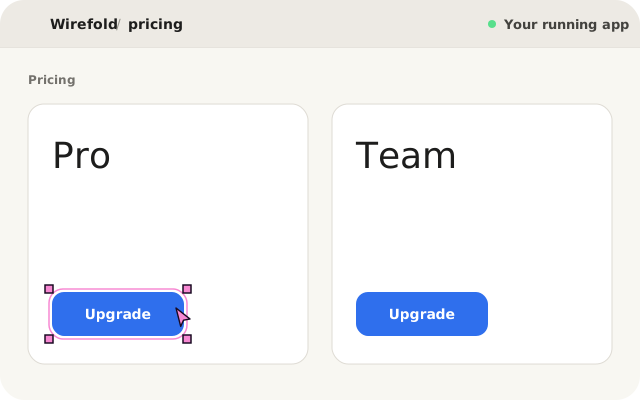
Every frontend developer knows the routine: you spot a misaligned badge, a wrong button variant, or a spacing bug in your running app. You right-click, open Chrome DevTools, and inspect the element. You can tweak CSS in the Styles panel in seconds, but the moment you refresh, the edit disappears.
Turning that visual discovery into an actual source edit in a React, Vite, or Next.js codebase still forces you back into your editor to hunt down the right file, component wrapper, and call site.
Why the DOM does not map back to your JSX
Browser DevTools only sees the compiled HTML output after React has rendered your component tree. Between that DOM node and your source code sit several layers of indirection:
- Compiled wrappers and primitives: A single <button> in the browser may come from a shared Button primitive, wrapped inside a PricingCard, rendered by a route page.
- Server and client boundaries: In Next.js App Router, inspecting a rendered element does not tell you whether its props originate in a Server Component, a Client Component, or a layout.
- Volatile CSS tweaks: Editing inline styles or Tailwind utility classes in DevTools mutates live browser memory, not your repository, and cannot express prop or variant changes.
| Tool | Shows runtime DOM | Resolves JSX call site | Persists as a git diff |
|---|---|---|---|
| Chrome DevTools | Yes | No | No (lost on reload) |
| React DevTools | Component tree | Partial (manual search) | No |
| Wirefold Visual Grounding | Yes | Yes (AST manifest) | Yes (sandboxed diff) |
From inspecting DOM nodes to grounding source locations
Instead of guessing files from rendered HTML, Wirefold instruments React host elements during local development in Vite and Next.js. Each rendered element carries an opaque data-intent-node token mapped to an exact file path, symbol, and line range in .intent/manifest.json. Our deep dive on how visual grounding connects DOM nodes to your AST explains how that compiler transform stays zero-overhead in production builds.
When you point and click an element in Wirefold’s preview, the engine resolves the exact source location deterministically before the agent reads a single line of code.
Describe the outcome and run in a sandbox
Once the element is selected, you describe what needs to change in plain language instead of translating it into CSS overrides:
Wirefold binds your prompt and the grounded target into an immutable Intent Contract and runs the coding agent inside an isolated Git worktree under .intent/worktrees/<runId>. Your active checkout and uncommitted work stay untouched while the agent edits and tests against the sandbox.
Review the real diff and apply cleanly
Unlike temporary DevTools edits that vanish on reload, Wirefold produces a unified diff scoped to your real JSX or TSX source:
- <Button variant="primary" className="mt-2">
+ <Button variant="secondary" className="mt-4">
You inspect the rendered result in the live sandbox preview alongside the exact code diff. When it looks right, click Apply to merge the reviewed snapshot into your working tree, or discard the run with zero cleanup.